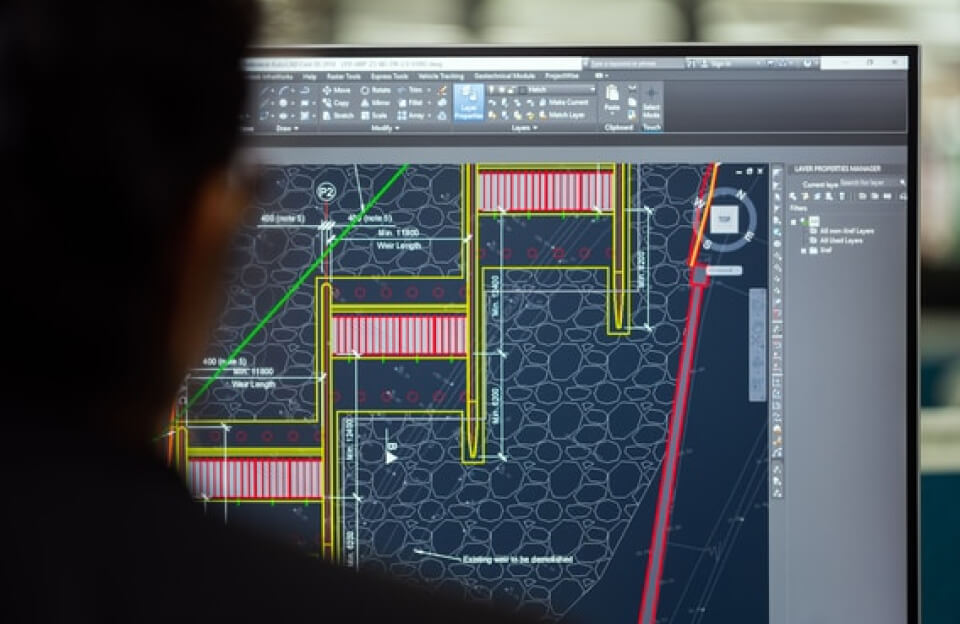
If you’ve ever worked on CAD (Computer-Aided Design) software, you know that time moves differently there. Hours can disappear while you zoom, trim, copy, and adjust tiny details on a drawing. In this world, shortcuts aren’t just helpful—they’re survival tools.
Why Shortcuts Matter in CAD
CAD work is all about precision and efficiency. Reaching for the mouse for every command may feel natural at first, but it slows you down more than you realize. Keyboard shortcuts reduce repetitive movements, speed up workflows, and help you stay focused on design instead of menus. Once shortcuts become muscle memory, your work feels smoother and faster.
From Beginner to Power User
At the beginning, CAD can feel overwhelming. There are dozens of tools, icons, and commands on the screen. Shortcuts simplify this complexity. Learning basic ones—like L for Line, C for Circle, or TR for Trim—can instantly boost your confidence. Over time, these shortcuts turn beginners into power users who can design almost effortlessly.
Saving Time, Saving Energy
Using shortcuts doesn’t just save time; it saves mental energy. Instead of stopping to search for tools, your hands flow naturally from one command to the next. This keeps your creative momentum alive and reduces frustration, especially during long projects or tight deadlines.
Accuracy Improves Too
Quick access to commands means fewer mistakes. When you know exactly which shortcut to use, you’re less likely to click the wrong tool or misapply a command. This leads to cleaner drawings, better accuracy, and fewer corrections later.
Custom Shortcuts, Personal Comfort
One of the best parts of CAD software is customization. You can create your own shortcuts based on how you work. Whether you’re an architect, engineer, or student, personalizing shortcuts makes CAD feel less like a machine and more like an extension of your thinking.
A Skill That Pays Off
Knowing CAD shortcuts isn’t just a classroom trick—it’s a professional advantage. Employers value speed and efficiency, and shortcut mastery shows experience and confidence. It can set you apart in internships, jobs, and real-world projects.
Shortcut Your Way to Success
Life on CAD becomes easier once you embrace shortcuts. They save time, improve accuracy, reduce stress, and help you focus on what really matters: designing and creating. So don’t fear the keyboard—get to know the shortcut. It might just become your best design partner.